---
title: "Using twitter4j with Play! Framework and Secure Social is this easy"
date: 2013-02-01T14:05:13+00:00
author: "poornerd"
canonical: https://www.poornerd.com/2013/02/01/using-twitter4j-w-play-framework-and-secure-social-is-this-easy/
source: Raw Markdown twin of the HTML article; content is the original source.
---
[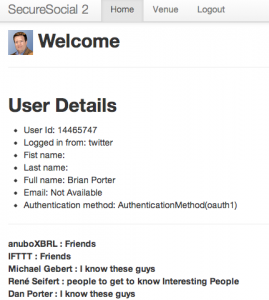 ](https://www.poornerd.com/wp-content/uploads/2013/02/Screen-Shot-2013-02-01-at-14.54.45.png)During yesterday’s personal Hackathon, I started a project which I might introduce here sometime. But the coolest revelation was (again) how easy it was to get up and running.
1. Create a new Play Project
2. Add Secure Social and configure it for Twitter, and use the InMemoryUserService from the examples. (all this is described here http://securesocial.ws/guide/getting-started.html and only takes a minute)
3. Add the dependecy to twitter4j to your Build.scala like this:
`"org.twitter4j"% "twitter4j-core"% "3.0.3"`
4. Secure your controller action method to force the (Login) Authentication with Twitter. Remember – because you are using the InMemoryUserService none of the Authentication data is stored – you will have to reconnect each time.
`@SecureSocial.SecuredAction`
5. I then added these standard methods to get the Authenticated Twitter User, Token, Secret and the twitter4J Connection: (The tokenSecret, token and current User are coming from the Secure Social Oauth1 Connection, and are used to authenticate the Twitter Connection.
`public static Twitter getTwitterInstance() {
](https://www.poornerd.com/wp-content/uploads/2013/02/Screen-Shot-2013-02-01-at-14.54.45.png)During yesterday’s personal Hackathon, I started a project which I might introduce here sometime. But the coolest revelation was (again) how easy it was to get up and running.
1. Create a new Play Project
2. Add Secure Social and configure it for Twitter, and use the InMemoryUserService from the examples. (all this is described here http://securesocial.ws/guide/getting-started.html and only takes a minute)
3. Add the dependecy to twitter4j to your Build.scala like this:
`"org.twitter4j"% "twitter4j-core"% "3.0.3"`
4. Secure your controller action method to force the (Login) Authentication with Twitter. Remember – because you are using the InMemoryUserService none of the Authentication data is stored – you will have to reconnect each time.
`@SecureSocial.SecuredAction`
5. I then added these standard methods to get the Authenticated Twitter User, Token, Secret and the twitter4J Connection: (The tokenSecret, token and current User are coming from the Secure Social Oauth1 Connection, and are used to authenticate the Twitter Connection.
`public static Twitter getTwitterInstance() {
// The factory instance is re-useable and thread safe.
TwitterFactory factory = new TwitterFactory();
Twitter twitter = new TwitterFactory().getInstance();twitter.setOAuthConsumer(Play.application().configuration().getString("securesocial.twitter.consumerKey"), Play.application().configuration().getString("securesocial.twitter.consumerSecret"));
twitter4j.auth.AccessToken accessToken = new twitter4j.auth.AccessToken(token(), tokenSecret());
twitter.setOAuthAccessToken(accessToken);
return twitter;
}
public static String tokenSecret() {
String retval = "";
scala.collection.Iterator iterator = Application.getCurrentUser().oAuth1Info().iterator();
while (iterator.hasNext()) {
OAuth1Info oAuth1Info = iterator.next();
retval = oAuth1Info.secret();
}
return retval;
}
public static String token() {
String retval = "";
scala.collection.Iterator iterator = Application.getCurrentUser().oAuth1Info().iterator();
while (iterator.hasNext()) {
OAuth1Info oAuth1Info = iterator.next();
retval = oAuth1Info.token();
}
return retval;
}
public static Identity getCurrentUser() {
return (Identity) ctx().args.get(SecureSocial.USER_KEY);
}
`
6. Then I added some code in my Controller to list (for example) my Followers
`
long cursor = -1;
IDs ids;
System.out.println("Listing following ids.");
do {
ids = twitter.getFriendsIDs(cursor);
for (long id : ids.getIDs()) {
twitter4j.User twitterUser = twitter.showUser(id);
twitterUsers.put(twitterUser.getScreenName(), new TwitterUser(id,twitterUser));
System.out.println(id);
}
} while ((cursor = ids.getNextCursor()) != 0);
`
Yes, that is it…