---
title: "Wysiwyg Editing of Play! Framework Templates with the Aloha Editor"
date: 2013-05-03T21:08:55+00:00
author: "poornerd"
tags: ["aloha-editor", "wysiwyg"]
canonical: https://www.poornerd.com/2013/05/03/wysiwyg-editing-of-play-framework-templates-with-the-aloha-editor/
source: Raw Markdown twin of the HTML article; content is the original source.
---
[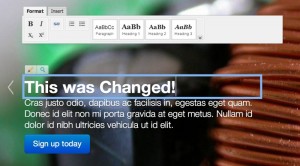 ](https://www.poornerd.com/wp-content/uploads/2013/05/aloha-saves.jpg)Ok, so it is only partial editing, but still this is an interesting step in the “**no CMS**” direction. What I have done is modified the example code which I posted on github last week for inline editing of HTML5 elements with the Aloha WYSIWYG Editor to actually save the new content back in to the Scala Template.
I find this useful for allowing non-techie colleagues to edit and optimize text and wordings in more content oriented templates. Of course it does directly modify the source, so in the case of a live website you would want to do this in the development environment and then **commit, push, deploy** the new version – hence “**no CMS**“.
In my example I have limited the frontend code to a block in the footer template. It is only rendered into the page if the following value is set to true in the `application.conf`:
](https://www.poornerd.com/wp-content/uploads/2013/05/aloha-saves.jpg)Ok, so it is only partial editing, but still this is an interesting step in the “**no CMS**” direction. What I have done is modified the example code which I posted on github last week for inline editing of HTML5 elements with the Aloha WYSIWYG Editor to actually save the new content back in to the Scala Template.
I find this useful for allowing non-techie colleagues to edit and optimize text and wordings in more content oriented templates. Of course it does directly modify the source, so in the case of a live website you would want to do this in the development environment and then **commit, push, deploy** the new version – hence “**no CMS**“.
In my example I have limited the frontend code to a block in the footer template. It is only rendered into the page if the following value is set to true in the `application.conf`:
play-aloha.admin=true
One of the non-elegant parts of the code is deciding which template file to look for the HTML to replace. Right now it is hard coded. I supposed the most pragmatic way would be to create a hashtable mapping URL’s to filenames.
Here you can see the changed HTML in the scala template:
[ ](https://www.poornerd.com/wp-content/uploads/2013/05/git-diff.png)
The code is in github here: https://github.com/poornerd/play-aloha
](https://www.poornerd.com/wp-content/uploads/2013/05/git-diff.png)
The code is in github here: https://github.com/poornerd/play-aloha