---
title: "Configuring Play2War with Play 2.2 and build.sbt"
date: 2014-03-13T20:09:57+00:00
author: "poornerd"
canonical: https://www.poornerd.com/2014/03/13/configuring-play2war-with-play-2-2-and-build-sbt/
source: Raw Markdown twin of the HTML article; content is the original source.
---
[ ](https://www.poornerd.com/wp-content/uploads/2014/03/Screen-Shot-2014-03-13-at-21.07.45.png)I had previously used Play2War with Play 2 projects that contained a `Build.scala` file following the configuration directions from Play2War. However, when attempting to configure a newer project which now uses a `build.sbt` instead of the `Build.scala`, It wasn’t immediately apparent how to do it.
1. Add this to your plugins.sbt: addSbtPlugin(“com.github.play2war” % “play2-war-plugin” % “1.2-beta4”)
2. Add this to the top of your build.sbt:
](https://www.poornerd.com/wp-content/uploads/2014/03/Screen-Shot-2014-03-13-at-21.07.45.png)I had previously used Play2War with Play 2 projects that contained a `Build.scala` file following the configuration directions from Play2War. However, when attempting to configure a newer project which now uses a `build.sbt` instead of the `Build.scala`, It wasn’t immediately apparent how to do it.
1. Add this to your plugins.sbt: addSbtPlugin(“com.github.play2war” % “play2-war-plugin” % “1.2-beta4”)
2. Add this to the top of your build.sbt: import com.github.play2war.plugin._
3. Add this at the end of your build.sbt: (yes with the line between them, and the servlet Version you need). Play2WarPlugin.play2WarSettings
Play2WarKeys.servletVersion := "2.5"
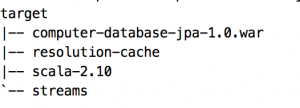
4. Run “`play war`” and when it is done, look in the target directory